Transactions labels
Labels is a new feature that enables business to organize their transactions within Clara's platform through customized categorization. This a basic spend management feature that most of our competitors already have but has been asked by some of our clients in the past. The feature offers more financial control and better reporting for business and it's an improvement to ERPs system integrations.
For clients it's a new layer of control that can take their payments management a step further, extinguishing the bureaucratic and manually process of cost identification. For Clara it is both a client demanded feature but also a starting point to collect user data and drive future intelligence-driven enhancements.

Challenge
Clara's platform did not have an existing way for clients to easily distinguish transactions into cost centers or other customizable groupings. Classifying transactions via tagging labels is a basic spend management platform feature among majority of our competitors.
Our hypothesis is that the labels feature will increase productivity of business by enabling transaction grouping/organization, improve integration with ERP systems, and serve as a starting point for collecting valuable user data and driving future intelligence-driven enhancements.
Problems & Opportunity
- For Clara - Help elevate Clara’s platform to remain competitive in the market
- For Business - Help business with opportunities to improve organization, streamline reporting and analysis, integrate with other systems, and customize expense management processes.
- Better financial control, cost management, and overall operational efficiency
Research
Internal and external qualitative research was conducted with a three step methodology, the goal was to collect feedback from internal people to discover and get ideas, then with the end user to verify and refine them.
First, a focus group with team members who work directly with users to understand more about their role in the company, what their daily bases look like, common paint points for the user, and the most common needs the user requested for the dashboard. Additionally, the full story app data matched a couple of feedback findings.
Pain points
- Clients can not easily distinguish transactions into cost centers or other customized groupings.
- Most of the time they needed to manually identify the different BUs and teams to do the conciliation
- The bigger a company is, the more difficult to track spending behaviour of different teams or identify possible savings areas.
Solution
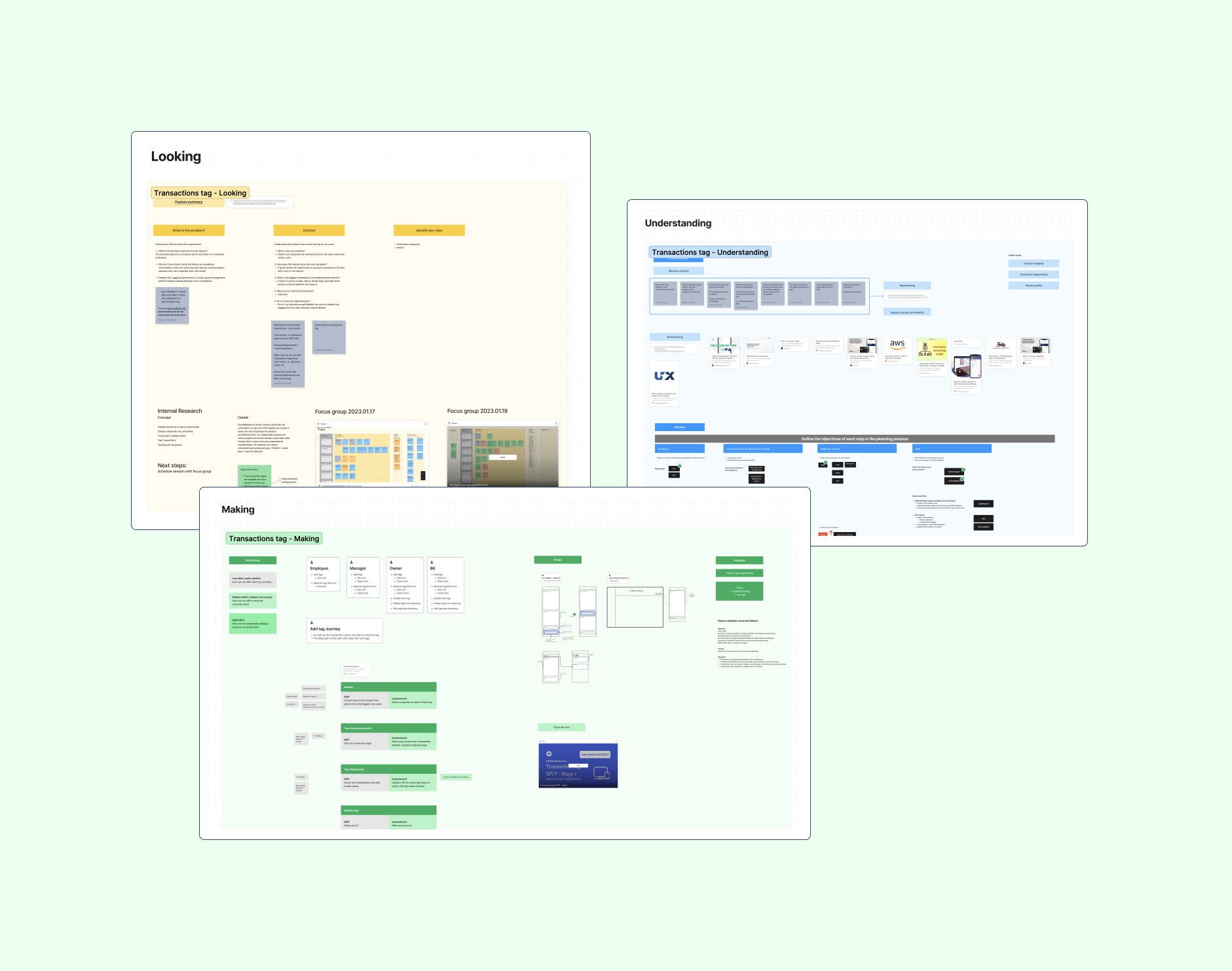
Following the methodology "Looking - Understanding - Making" (you can find the template in my resources) starting with the research to understand the project, follow by the definition of the tasks and finally jumping into the design.
Clients can now label transactions anyway they need within the platform. It enables the classification of spendings within customized groups defined by the user and makes the reporting and spending analysis faster.
Objectives
- Enable the grouping and organization of a business’s transactions
- Improve integration with ERP systems
- Further understand customer spend management needs and problems
Benefits
- Better financial control - classify expenses by cost center, project or any other group you choose
- Cost management improvement - more organization an better visualization of spending groupings
- Operational efficiency - streamline reporting and analysis, integrate with other systems (ERPs), quick identification of spending.
How the feature works
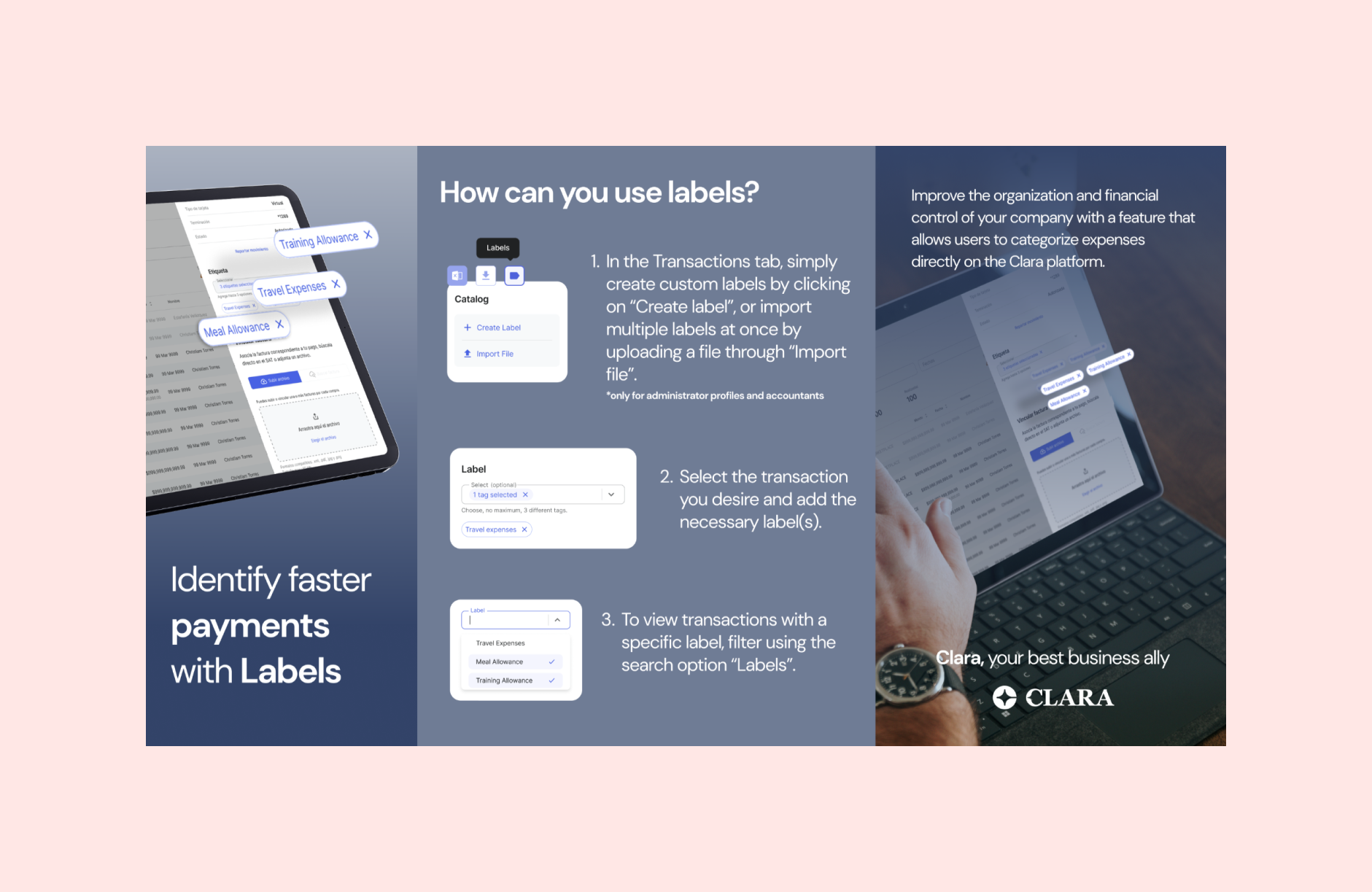
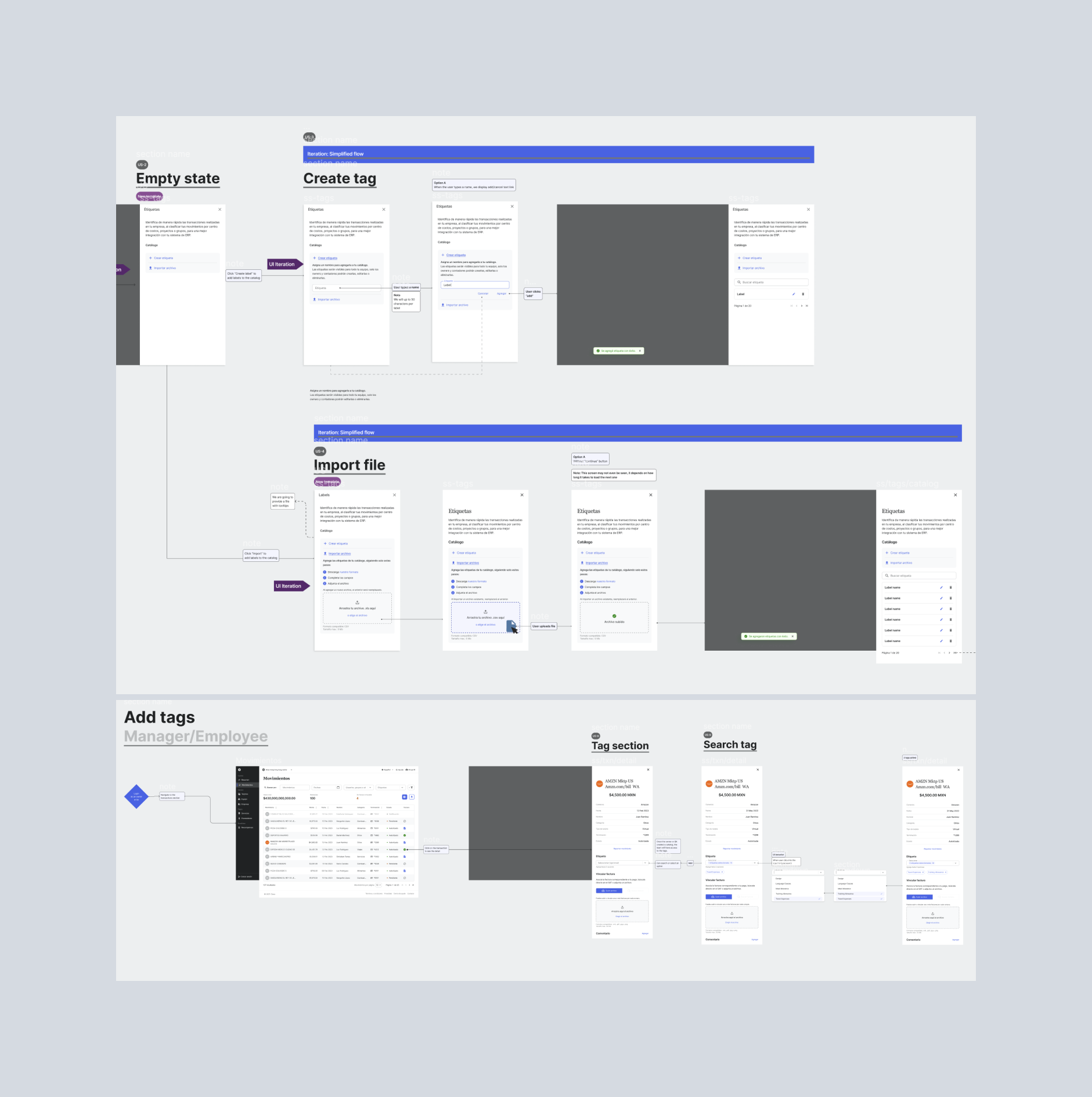
The Labels Catalog will be accessible only to company owners and accountants. Users will see a new icon next to the existing options for downloading CSV and emailing invoices on the transactions page. Within the Labels Catalog, users can create labels individually by entering the label name. However, there will be restrictions on the label name, allowing names to be less than 50 characters and disallowing semicolons. Additionally, users can import a CSV file of label names using templates provided by us, ensuring that the layout is correct for successful import. After creating or importing labels, users will have the flexibility to edit the label names as needed. To manage large sets of labels effectively, the Labels Catalog will implement pagination.
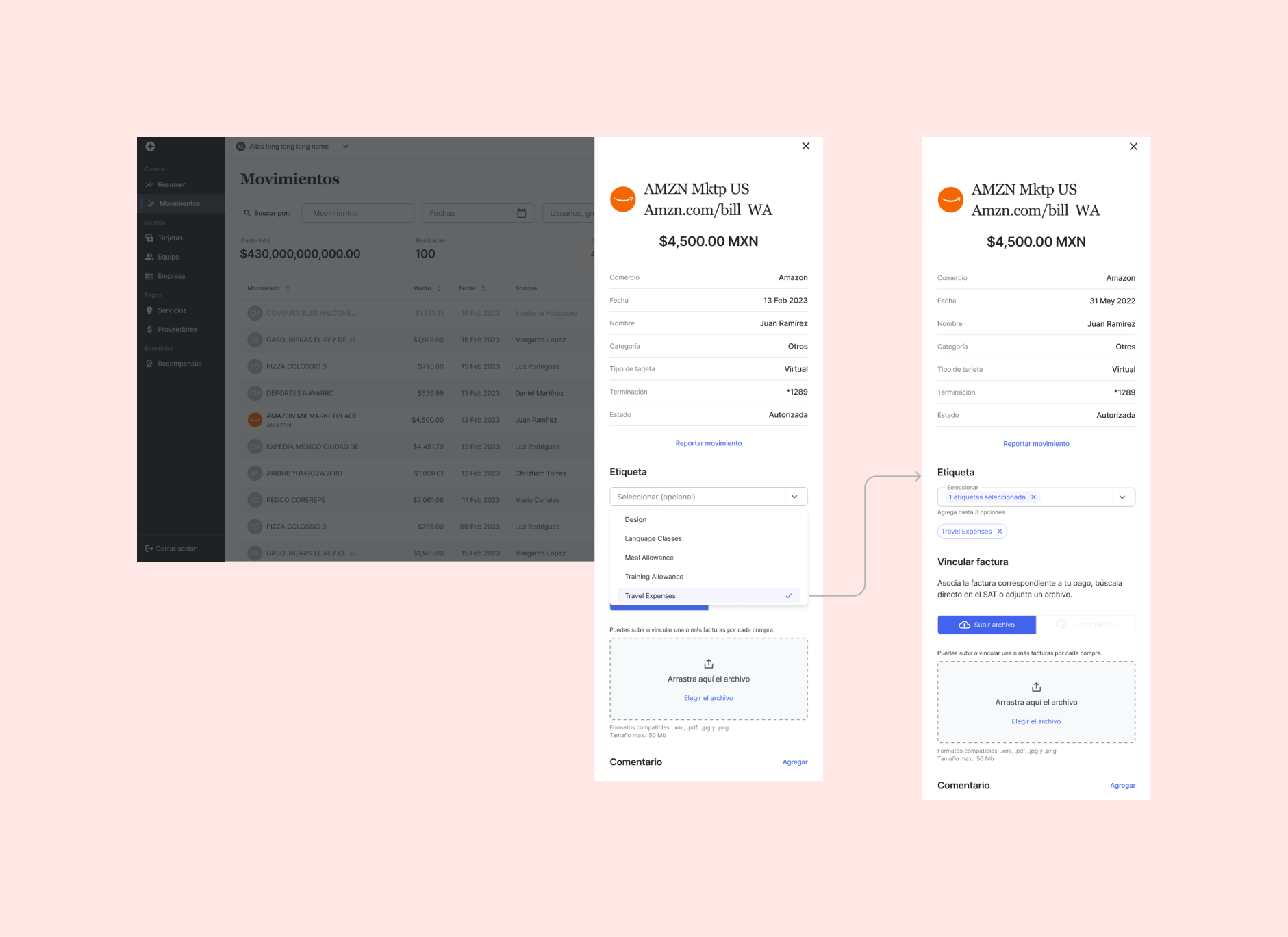
The Labels Section in the Transactions Details Drawer will be accessible to all user roles. Users will have the ability to add and delete labels to/from each transaction, regardless of the transaction's lifecycle. They can attach up to three labels per transaction. Company owners or accountants will also be able to create new labels directly within the Labels Section, and these new labels will be automatically added to the Labels Catalog for future use.
In addition to these primary functionalities, we will be adding some other useful features. Firstly, a Labels filter will be added to the top of the transactions page, available to all roles. However, the filter will only appear if there are labels present in the Labels Catalog. This filter will enable users to search for transactions with specific labels, making it easier to categorize and manage transactions efficiently. Secondly, users will be able to download a CSV file of the filtered transactions. A new column will be added to the CSV file to display the attached labels for each transaction, providing comprehensive information for further analysis and record-keeping.
Our unique value prop
- Why companies would chose to use.
- All in one place - Spending categorization is easier to do and integrated to Clara's platform.
- Easy to use - Platform user experience is improved making the reporting and analysis process faster and more accurate.
Target
All clients, especially enterprises with ERP.
Metrics
Success
- Adoption - # of transactions with labels tagged
Tracking
- Number of labels in catalog
- Names of the labels - to build intelligence
Guardrail
- Normal performance metrics (users, crashes, errors)